Your short video will appear on the thank-you page, giving you a chance to put a face to your business, build trust, and invite the homeowner to take the next step.
Aim for 45–60 seconds and cover these four things:
- Introduce yourself: Share your name, company, and the area you serve.
- Help them feel comfortable: Address one or two concerns homeowners commonly bring up with you, such as feeling pressured or price. Only make promises that reflect how your business operates.
- Explain the first call: Tell them what you’ll discuss and what they can expect next.
- Give one clear next step: End with: “Call the number you see on this page so we can talk about your property and what you’re looking to do.”
A clear phone recording is the best way to start.
If possible, record outside of a property you recently worked on, purchased or helped to improve.
Do NOT use AI-generated presenters, avatars, or cloned voices.
Testimonials - These are a great addition with some editing to weave in either screenshots of written testimonials when you are speaking or a short testimonial clip after your introduction.
Don't overthink it. The goal isn't to create the perfect marketing video. It's to make the seller think: “Oh, that's the person who's calling me.”
Important: Do not say or display your own phone number anywhere in the video, including overlays, the closing screen, or your website. Always direct homeowners to call the phone number shown on the page. We review all videos before publishing.
How do I add my video?
Once your video has been created, you can upload your video on the Property Leads platform under "My Profile". See Below: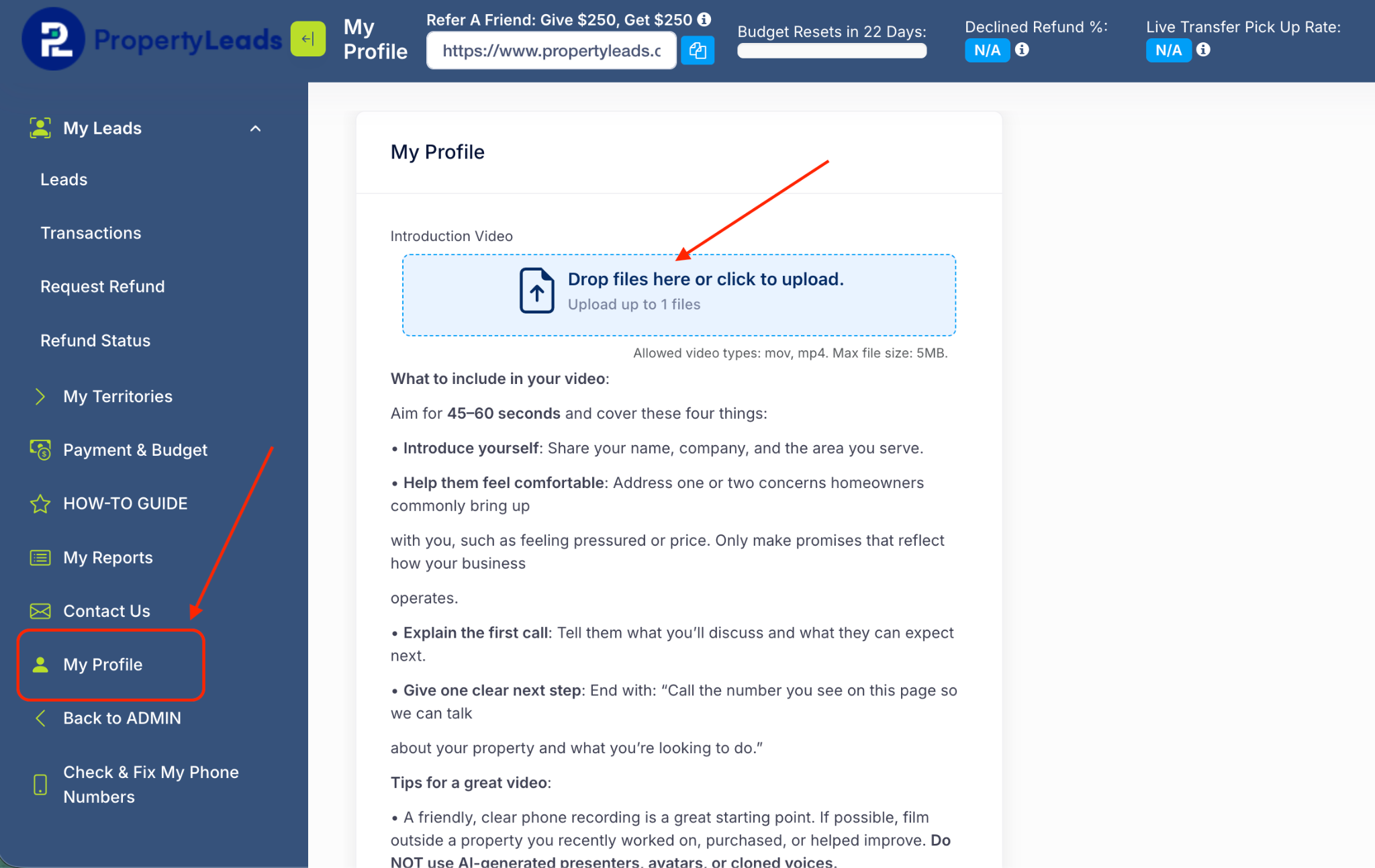
Sample Video:
Was this article helpful?
That’s Great!
Thank you for your feedback
Sorry! We couldn't be helpful
Thank you for your feedback
Feedback sent
We appreciate your effort and will try to fix the article